|
Formats for Taking Pictures
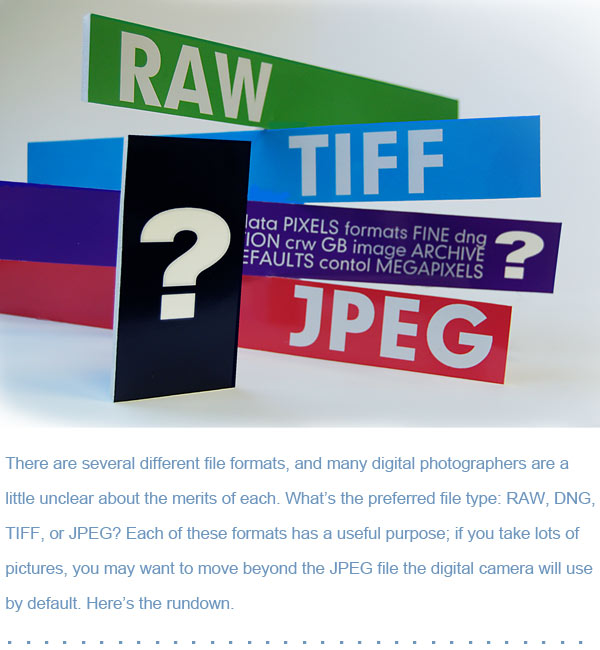
 For lots of amateurs and family photographers,
JPEG is just fine. Make sure the camera is set to the highest
quality resolution setting and to save pictures with the least
amount of compression. The camera manual will explain how to
do this. Or give us a call and we can help. JPEG is fine for
snapshots, but you have limited ability to correct overexposed
or underexposed areas. A professional wanting greater control
will probably shoot in RAW. For lots of amateurs and family photographers,
JPEG is just fine. Make sure the camera is set to the highest
quality resolution setting and to save pictures with the least
amount of compression. The camera manual will explain how to
do this. Or give us a call and we can help. JPEG is fine for
snapshots, but you have limited ability to correct overexposed
or underexposed areas. A professional wanting greater control
will probably shoot in RAW.
 RAW format allows a photographer
to capture more detail than when shooting in JPEG format; it
also provides more control over color correction and exposure
adjustment in the digital darkroom. The ability to change the
white balance on a RAW file or dig out some extra detail in highlight
and shadow areas can make an immediate impact on the overall
look of a photo. Since RAW files do capture lots of detail without
applying processing or compression algorithms, they will take
up more space on a memory card and hard drive. For example, a
10-megapixel camera with a 4 GB card can hold approximately 135
RAW files in comparison to 420 JPEG/FINE images. If your camera
offers the opportunity to shoot RAW, pick up a few extra memory
cards. RAW format allows a photographer
to capture more detail than when shooting in JPEG format; it
also provides more control over color correction and exposure
adjustment in the digital darkroom. The ability to change the
white balance on a RAW file or dig out some extra detail in highlight
and shadow areas can make an immediate impact on the overall
look of a photo. Since RAW files do capture lots of detail without
applying processing or compression algorithms, they will take
up more space on a memory card and hard drive. For example, a
10-megapixel camera with a 4 GB card can hold approximately 135
RAW files in comparison to 420 JPEG/FINE images. If your camera
offers the opportunity to shoot RAW, pick up a few extra memory
cards.
Formats for Saving Pictures
First
of all, whether shooting in JPEG or RAW, remember to back up
photos after moving them from the camera to the computer. Burn
them to a DVD, or transfer them to a portable hard drive kept
in another location away from the computer. Better yet, seek
the advice of a local photo retailer for archiving and storage
options. RAW files create a problem because different camera
manufacturers have different "flavors" of RAW. For
example, Canon RAW files are known as .CRW, Nikon files are .NEF,
Pentax files are .PEF, and Olympus uses .ORF. The DNG format
(for "digital negative") was recently created by Adobe
in an effort to unify the slightly different RAW formats created
by the various manufacturers. Many photographers fear these differences
may potentially become problematic in the long term, as one manufacturer'™s
RAW files may not be future-proof in new software applications.
Programs like Adobe® Lightroom® have an option to back
up RAW files as .DNG files. To protect digital negatives (RAW
files) for many years to come, converting them to DNG may be
well worth the effort. The presumption is all new software will
recognize DNG, while some RAW versions particular to a manufacturer
may fall by the wayside and possibly be unreadable in the future.
File Formats for Making Prints
For
those special images you want to print and display, the preferred
file format is TIFF. By saving a completed image that possibly
started out as a JPEG as a TIFF, you are using a lossless file
capable of producing high-quality enlargements. JPEG is a compressed
file, which can degrade image quality slightly. While this is
not usually noticeable on the computer screen, it can show up
on large prints. By starting with a RAW file and converting to
a TIFF, the files are not being compressed or losing data. For
making prints, TIFFS should be saved at 300 DPI.
File Formats for Email and Web Posting
JPEG is the recommended format for sharing images
on the web or by email. Here are some guidelines to help prepare
files for the web:
Step 1: Open the image in Adobe Photoshop®
(either CS or Elements) or any other image-editing program.
Step 2: The menu bar will give an option
to select "Image" and then select "Image Size."
A dialog box will appear and prompt you to enter the desired
image dimensions.
Step
3: This can be set by pixel size or by actual inches.
Inches will be used for this example. Set the image size to 5-by-7
or 4-by-6.
Step 4: Make sure the resolution is set at
72 DPI. This is ideal for web viewing. Select "OK,"
"Close," or whatever else the software prompts.
Step 5: The
final step is probably to go to "File" and select "Save
for Web" or another save feature. This will vary among different
programs, but the main point is to save a small file at 72 DPI
and make sure it goes into the JPEG format.
-
-
- Courtesy of The Camera Doctor
- 308-237-2521
- 1027 East 25th St.
- Kearney, NE 68847
|
|